
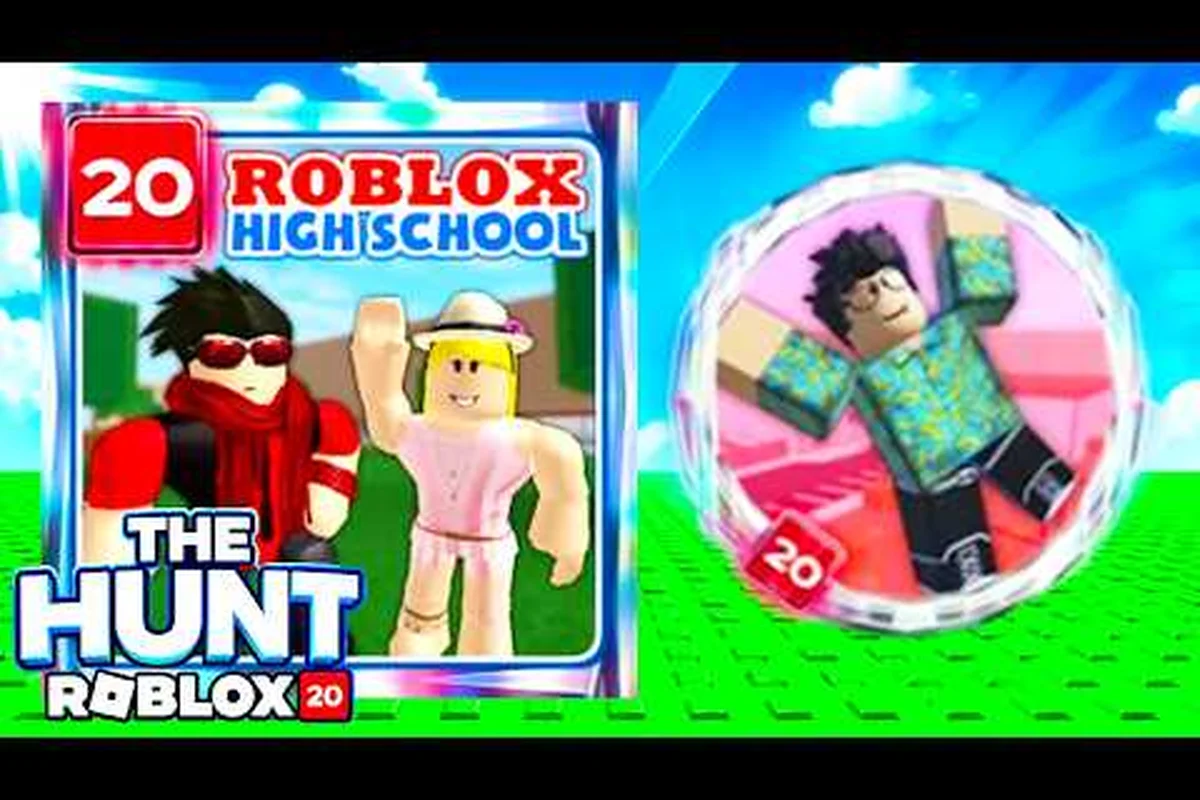
The Roblox High School The Hunt quest is a limited-time anniversary event tied to The Hunt: Roblox 20, and finishing it grants the Chuck's Savior badge along with the Time Travel Schoolpack UGC reward. Players who land in the school during the event window get a focused rescue scenario with a clear checklist, but the steps are easy to miss if you don't know the NPC, the dialogue triggers, and the order of interactions. This guide walks through every part of the quest so the badge and the backpack don't slip past you before the event closes.
A Time-Travel Quest Built Around a Stranded Student
The Roblox High School event 2026 sits inside Roblox's broader The Hunt: Roblox 20 anniversary celebration, which is a multi-experience crossover where each participating game adds its own short rescue-style quest. In Roblox High School, the framing is time travel: a student who went to the school back in 2016 has been stranded in the present, and your job is to track them down and bring them back. The event is time-gated to the anniversary window, and the official Roblox page for the experience currently promotes it as a featured activity, which means the quest rotates off once the celebration ends.
Community videos from creators such as CHALLS and GoldenRoblox (see the CHALLS walkthrough on YouTube and the GoldenRoblox guide) show the same structure that players see in-game: a short setup, a handful of interactable steps, a confirmation moment, and a reward pop-up. The reason the quest is so easy to overlook is that it doesn't replace normal school life — it sits on top of it, and the only entry point is a single NPC placed near the front of the school. If you sprint past that NPC on your first join, you can spend an entire session in Roblox High School without realizing the quest exists.
Core Quest Facts at a Glance
| Attribute | Value |
|---|---|
| Event name | The Hunt: Roblox 20 — Roblox High School |
| Quest theme | Time-travel rescue of a 2016 student |
| Primary NPC | Chuck (stranded student) |
| Reward 1 | Chuck's Savior badge |
| Reward 2 | Time Travel Schoolpack (UGC item) |
| Quest type | Limited-time anniversary |
| Trigger location | Front of the school building |
| Step count | Five confirmed interactions |
Why This Event Matters to Roblox High School
Roblox High School is one of the older social-roleplay experiences on the platform, and the event is being used as a celebration hook that ties the 2026 anniversary back to the original 2016 student body. According to community reports, the Time Travel Schoolpack is one of the few UGC rewards tied specifically to this game's event track, which makes it a collector's item for players who have been around the school for years. Players coming in fresh from the Roblox High School how to start walkthrough will still be able to pick up the quest, because the entry point is right at the spawn area, but veterans get the extra payoff of recognizing the 2016 callbacks sprinkled across the dialogue.
How to Start the Roblox High School The Hunt Quest
The first hurdle is finding the quest NPC, because the school is large and the event markers are not always obvious. Once you load into Roblox High School, head toward the main building entrance. The stranded student — Chuck — will be standing near the doors, marked with a quest indicator that makes them stand out from the regular student NPCs that populate the campus. Walk up and interact, and the dialogue opens the rescue storyline.
The dialogue is short and intentionally lightweight, because The Hunt quests across participating experiences are designed to be completable inside a single short session. Chuck explains that he traveled from 2016, missed his window back, and needs your help to set the timeline right. Once the intro dialogue closes, the quest log updates with the next step, and the Chuck's Savior badge becomes visible as a pending reward.
Entry Point Comparison
| Entry Method | Works? | Notes |
|---|---|---|
| Talking to Chuck at the front entrance | Yes | Primary and intended path |
| Joining through a friend's teleport | Sometimes | Quest may not flag if friend already triggered stage 2 |
| Joining a private server | Yes | Useful for solo completion |
| Joining through The Hunt hub on Roblox | Yes | Some community guides report this auto-flags the quest |
Common Starting Pitfalls
The most common first-time mistake is talking to Chuck while another player is mid-conversation, which can cause the dialogue to desync. If the quest log doesn't update after your first interaction, leave the interaction radius, walk roughly fifty studs away, and return. Another pitfall is queuing the quest and then immediately teleporting to a job or house to grind cash — the quest does not block other activities, but the dialogue scene can fail to register completion if you exit before the closing line. The Roblox High School full guide covers job teleport commands separately, so if you need to step away mid-quest, exit through the menu rather than a fast-travel.
Step-by-Step Walkthrough: Completing the Roblox High School Event
The Roblox High School event reward pipeline follows a five-step structure once Chuck's intro dialogue is done. The steps are designed to feel like a mini story — you collect a time-travel item, return to Chuck, calibrate the device, and confirm the rescue. Each step is a discrete interaction, and the quest log updates after every successful completion. Below is the exact sequence that community-tested walkthroughs converge on, with the steps players most often get stuck on flagged in the table.
Step Table
| Step | Action | Location | Common Mistake |
|---|---|---|---|
| 1 | Talk to Chuck at the entrance | Front of school | Walking away before the closing line |
| 2 | Pick up the Time Beacon | Courtyard near the fountain | Confusing it with a regular pickup |
| 3 | Return the beacon to Chuck | Same entrance area | Approaching from the wrong side, breaking the dialogue |
| 4 | Calibrate the beacon at the clock tower | Clock tower roof | Skipping the prompt that asks to confirm the year |
| 5 | Confirm the rescue at Chuck's original spot | Front of school | Not waiting for the reward pop-up to fully load |
Step 1 — Talk to Chuck
Stand in front of Chuck and press the interact key. Read the full dialogue; even if it looks skippable, the closing line is what flags the quest as stage 1 complete. The dialogue also gives a one-line hint about the next location, which most players only realize was important after they wander for a few minutes. The community YouTube walkthrough by Kash Flow shows a clean, uninterrupted dialogue run that takes roughly forty seconds and never requires choosing an option.
Step 2 — Pick Up the Time Beacon
After the dialogue, the quest marker updates to a new icon, the Time Beacon, which is a small glowing object placed near the courtyard fountain. Walk over, interact, and the beacon enters your inventory. Players often miss it because the courtyard has multiple interactable props — trash cans, benches, a vending machine — and the beacon is small. Look for the soft glow on the ground rather than relying on the marker arrow alone, because the marker can clip behind objects during crowded sessions.
Step 3 — Return the Beacon to Chuck
Bring the Time Beacon back to Chuck at the front of the school. He will trigger a short calibration cutscene where he adjusts the device. The interaction is short but the dialogue has a confirmation line — make sure you wait for Chuck to say "set the year" before you move, or the calibration will not register. If you approach from behind, the dialogue can fail to trigger entirely, so face the NPC head-on before pressing interact.
Step 4 — Calibrate at the Clock Tower
Once Chuck has finished adjusting the beacon, the quest sends you to the clock tower roof. The path is straightforward — stairs inside the school, up to the roof access, and across to the calibration console near the clock face. The console prompt asks for a year confirmation, and the correct input is the year the student came from. Community testing consistently reports that the answer is hardcoded, so a typo is not possible, but the prompt must be confirmed twice in a row, and many players only confirm once before walking away, which fails the step silently.
Step 5 — Confirm the Rescue
Return to the front of the school one last time. Chuck will be standing in a slightly different position — closer to the doors than during the intro. The final interaction triggers the rescue animation, and when it ends, the Chuck's Savior badge lands in your profile along with the Time Travel Schoolpack. The reward pop-up has two confirmation states, and you need to wait for both before you leave the area, because leaving early has been reported by players as causing the backpack to fail to register in the inventory.
Rewards Breakdown: Chuck's Savior Badge and Time Travel Schoolpack
The Roblox High School event reward track is unusually clean compared to some anniversary quests, because there are only two confirmed items and both are tied directly to the quest line. The Chuck's Savior badge is a profile-level trophy that records your completion of the Roblox High School The Hunt quest specifically, and the Time Travel Schoolpack is a wearable UGC item that visually references the time-travel framing of the storyline. Neither reward is tradable, which means missing the event window means missing the items permanently.
Players coming in from the Roblox High School legacy meaning page will recognize the badge as part of a broader set of anniversary collectibles, but Chuck's Savior is the only one that drops from the Roblox High School branch of The Hunt: Roblox 20, so it's a unique pickup on the anniversary list.
Reward Comparison
| Reward | Type | Rarity Notes | Visible On Avatar? |
|---|---|---|---|
| Chuck's Savior | Profile badge | Limited to event window | No (profile only) |
| Time Travel Schoolpack | UGC wearable | Event-exclusive | Yes (back slot) |
| Anniversary profile banner frame | Profile | Cross-event | No |
Why the Schoolpack Is Worth Picking Up
The Time Travel Schoolpack is the only wearable in the school's current catalog that has an event-locked drop source. The school sells a wide variety of backpacks and accessories through its in-game shop, and players can grind cash for them through jobs like the ones covered in the Roblox High School money tips article, but the Time Travel Schoolpack cannot be bought — it is a one-time UGC grant. Community reports indicate the model has a subtle animation when the avatar moves, which is a small touch but one of the few cosmetic animations in the school's backpack lineup.
Troubleshooting and Event Edge Cases
Even with a clean walkthrough, the quest has a few well-documented failure modes that community guides have flagged. The good news is that none of them are permanent — every reported issue can be resolved by leaving the area and rejoining, or by waiting for the server to reset the quest NPC. The bad news is that the failures are silent, meaning the quest log just doesn't update, and players often don't realize they've failed a step until they walk to the next location and find nothing there.
Reported Issues Table
| Issue | Cause | Fix |
|---|---|---|
| Quest log not updating after dialogue | Player walked away mid-line | Re-interact with Chuck |
| Beacon not appearing in inventory | Wrong pickup targeted | Re-approach the courtyard, target the glowing object |
| Clock tower prompt not registering | Single confirmation instead of double | Re-interact, confirm twice |
| Reward pop-up missing | Player left before the second confirmation | Re-join server, replay step 5 |
| NPC missing entirely | Out-of-event window | Confirm event is still active via official page |
What to Do If the Event Window Closes
Because the Roblox High School event 2026 is tied to the broader Roblox 20 anniversary, it has a hard end date. If you load into the school and Chuck is no longer at the entrance, the event has wrapped, and the badge plus the schoolpack will not be reissued in the same form. According to the official Roblox High School page, the experience remains live, but the event marker on Chuck is what indicates whether the quest is currently available. There is no catch-up mechanic, so the only way to get the rewards is to complete the quest before the event ends.
Players who joined late and missed the Roblox High School branch can still pick up anniversary items from other participating experiences in The Hunt: Roblox 20, but the Chuck's Savior badge is locked to this game's quest line. The community video Roblox High School: The Rise and Fall of an Era by Count Remy is a useful companion piece if you want context on why this particular event matters to long-time players, even though it is not a step-by-step quest guide.
Frequently Asked Questions
How long does the Roblox High School The Hunt quest take to complete?
The full quest line takes roughly five to ten minutes on a fresh server, with most of that time spent on the dialogue scenes and the clock tower walk. Players who already know the route can clear it in under five minutes, and there is no cooldown or daily lock on the quest, so you can replay it on alt accounts during the event window.
Where do I find Chuck to start the Roblox High School event?
Chuck stands right at the front of the school building, near the main entrance. He is the only NPC with a quest indicator during the event window, so he is visually distinct from the regular student NPCs that fill the campus. If you don't see him, the event has likely ended for the session.
Is the Chuck's Savior badge tradeable or re-obtainable?
No. The badge is profile-locked and event-exclusive, so it cannot be traded, gifted, or re-rolled. Missing the event window means missing the badge permanently, which is why community walkthroughs emphasize completing the quest early in the anniversary period rather than waiting until the final days.
Can I do the Roblox High School event in a private server?
Yes. Private servers work fine for the quest, and several community guides recommend them because the NPC interactions are easier to manage without crowded lobbies. Just make sure you join a private server that is hosted for the same experience, because cross-game private servers do not carry the event flag.
Does the Time Travel Schoolpack have any in-game function beyond cosmetics?
The schoolpack is a wearable-only UGC item and has no gameplay effect, stat boost, or money-making function. Its value is purely cosmetic and collection-based, and it pairs well with the Roblox High School fishing guide playstyle for players who want a themed outfit while they grind the lake spot for cash.