Stepping into Roblox High School for the first time can feel like a sensory overload — players are dropped onto a sprawling campus with hundreds of avatars running, dancing, and teleporting in every direction. This complete walkthrough cuts through the chaos by mapping every key building, breaking down the control scheme for both PC and mobile, and showing newcomers exactly which doors lead to the first set of quests. By the end of this guide, readers will know the campus layout cold, understand how every input translates in-game, and have a checklist of activities that make the early hours feel rewarding instead of confusing.
Roblox High School Campus Layout and Key Locations
The campus is built around a central courtyard with five wings branching outward: the Academic Building, the Gym, the Library, the Cafeteria, and the Auditorium. Each wing has two to three floors, and most quest-giver NPCs are stationed on the ground floor near the entrance. Knowing the geography of these five anchor points saves a huge amount of time, because the in-game teleport pads at the courtyard let players fast-travel between them for free once unlocked.
The Academic Building houses the main classroom cluster, the Principal's office, and the registration desk where the first-day quest chain begins. Head straight for the Library if the goal is to find the Study Group NPC — a recurring quest giver who hands out the "Pop Quiz" daily task and awards in-game cash for completion. The Gym is where the sports and athletics mini-games live, including basketball, dodgeball, and the track-and-field timer. The Cafeteria is the social hub, packed with seated emotes, lunch-tray pickup spots, and a hidden rooftop accessible by climbing the kitchen's back ladder. Finally, the Auditorium is the main stage for performances, talent-show quests, and the seasonal event boss spawns that the community has tracked for the past three updates.
A few other landmarks are worth memorizing on day one. The Football Field sits behind the Gym and is the spawn point for the Friday Night Lights event. The Parking Lot out front is where vehicles and the driving mini-game are unlocked around level 15. The Treehouse behind the Cafeteria is an easter-egg zone with a few hidden cosmetics, and the Janitor's Closet near the Library has a secret door that leads to the underground maze — a community-favorite farming spot. Walking the perimeter once during the first session pays dividends later when quests ask players to "return to the [landmark name] in under 60 seconds."
| Wing | Primary NPC | Quest Type | Floor |
|---|---|---|---|
| Academic Building | Principal Reyes | Story chain | 1-2 |
| Library | Study Group leader | Daily | 1 |
| Gym | Coach Davis | Athletics | 1 |
| Cafeteria | Lunch Lady | Social | 1 + rooftop |
| Auditorium | Stage Manager | Talent / events | 1-2 |
A quick mental map of these zones lets players chain quest objectives without ever opening the in-game compass. Many quest objectives explicitly name the wing, so recognizing the building from a distance is faster than reading the floating waypoint marker.
PC Controls, Mobile Controls, and Gamepad Mapping
The control scheme is built on the standard Roblox input layer, which means muscle memory from any other Roblox title transfers almost directly. On PC, the WASD keys move the avatar, the space bar triggers jump, the mouse rotates the camera, and the left mouse button interacts with NPCs and objects. The shift key is the run modifier, and holding it while moving is the fastest way to cross the courtyard without burning the in-game stamina meter, which recovers on a short cooldown. The E key opens the emote wheel, the F key sits down on nearby chairs, and the Q key triggers a basic wave. The slash key opens the chat bar, and the M key toggles the map overlay.
Roblox High School PC controls include a few extras that aren't in the base Roblox template. The R key opens the in-game phone, which is required for texting-style quests. The T key triggers the dance menu separately from the standard emote wheel, and the B key toggles the backpack UI for managing school-supply items. The Tab key opens the player list, and the Backquote key, the grave-accent key above Tab, opens the developer console for advanced users who want to inspect their own character state. Knowing these secondary bindings saves a lot of fumbling during the timed quest windows that the game throws at players around level 10.
| Action | PC Key | Mobile Button | Gamepad |
|---|---|---|---|
| Move | WASD | Virtual stick | Left stick |
| Jump | Space | Jump button | A |
| Run | Shift | Double-tap stick | Right trigger |
| Interact | Left click | Tap object | X |
| Emote wheel | E | Emote icon | Y |
| Sit | F | Sit icon | B |
| Chat | Slash | Chat bubble | Start |
| Phone | R | Phone icon | D-pad up |
| Map | M | Map icon | D-pad down |
On mobile, the virtual thumbstick appears in the lower-left corner and the jump button sits to its right. Run is mapped to a quick double-tap of the thumbstick, while emotes, sit, and chat each get their own dedicated on-screen icon. Mobile players can rotate the camera by dragging anywhere on the right half of the screen, and pinching two fingers zooms the field of view in and out. Because mobile screens are smaller, the game automatically enlarges the interaction prompt when an NPC is nearby, which makes the chat-to-quest handoff noticeably easier on a phone than on a crowded PC monitor.
Gamepad support is functional but secondary. Roblox added native controller mapping in 2023, and Roblox High School inherits the default binding: left stick moves, right stick rotates, A jumps, X interacts, Y opens the emote wheel, and B sits. The triggers handle camera zoom, and the bumpers scroll through the emote wheel. The map and phone are tucked onto the D-pad. Community testing on r/RobloxHighSchool suggests the gamepad layout works best for casual social roaming but feels imprecise during the dodgeball mini-game, where mouse-aim dominates the leaderboard. For most PC players, sticking with keyboard and mouse remains the cleanest input method, and the mobile and gamepad guide covers advanced binding tweaks in more detail.
Quest Flow, Day-One Checklist, and Things To Do
The opening hour of Roblox High School is structured as an onboarding tour, but most new players sprint past the prompts and miss out on the easiest rewards in the game. The first quest, "Register for Class," starts at the Academic Building desk and rewards 50 in-game cash plus a backpack item. From there, the chain branches into two parallel tracks: an academic track (quizzes, library study sessions, science lab experiments) and a social track (cafeteria hangouts, dance lessons, club recruitment). Picking up both tracks on day one triples the daily cash income and unlocks the "Well-Rounded Student" badge by the end of the first week.
A solid day-one checklist looks like this:
-
Register for Class at the Academic Building desk
-
Pick up the Library tour from the Study Group leader
-
Visit the Cafeteria and sit at any open lunch table to trigger the social tutorial
-
Stop by the Gym and complete the basketball tutorial for 25 cash
-
Check the Auditorium stage board for any active daily performance quest
-
Open the in-game phone and accept the welcome text from the school counselor
-
Return to the courtyard and unlock the teleport pads by walking through each one
That sequence takes roughly 20-30 minutes on a fresh character and sets up every daily system in the game. Once the teleport pads are unlocked, future sessions can skip the walking and jump directly to whichever wing has the most rewarding quest available. Players who skip the tour on day one often report wandering the courtyard for 15 minutes before realizing there's an in-game map — the first-day guide covers the recovery path for anyone who already burned past the tutorial.
Beyond the core quest chain, the game has a long list of optional activities that most players never discover. The Treehouse behind the Cafeteria has a small cosmetics shop that opens only between 6 PM and 9 PM in-game time, and the Janitor's Closet underground maze respawns a rare NPC every 30 minutes. The Football Field hosts the Friday Night Lights event every Friday at 8 PM, which is one of the best cash farms in the game for groups of four or more. The Auditorium roof is reachable by climbing the stage scaffolding, and a hidden piano up there plays a unique emote when interacted with. Players who want a full sandbox experience should also check out the Driving School in the Parking Lot, which unlocks a usable car at level 15 and a small racing circuit behind the Gym.
| Activity | Location | Reward | Frequency |
|---|---|---|---|
| Pop Quiz | Library | 75 cash + XP | Daily |
| Basketball | Gym | 25-100 cash | Anytime |
| Friday Night Lights | Football Field | 200+ cash | Fridays |
| Cafeteria social hour | Cafeteria | Social XP | Hourly |
| Talent show | Auditorium | 150 cash + badge | Weekly |
| Janitor maze | Library basement | Cosmetics | Respawns 30 min |
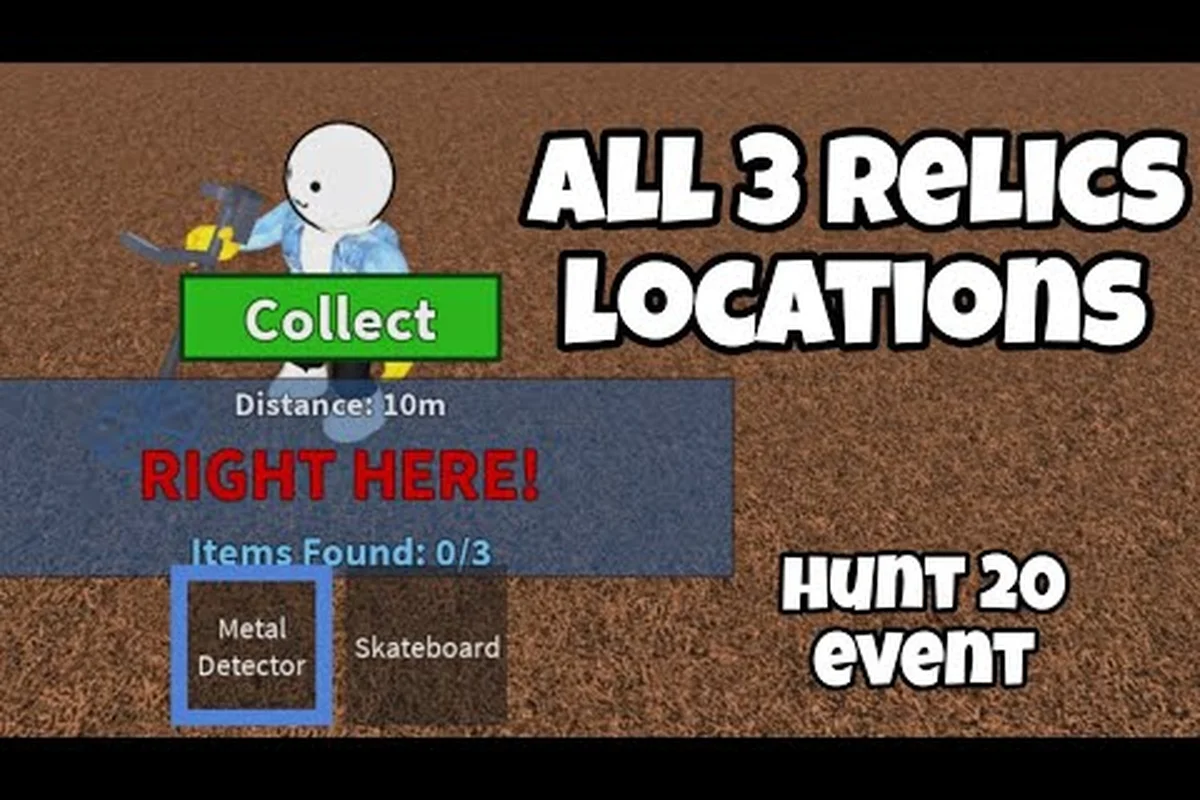
Roblox High School things to do scale up sharply after level 10, when the developers start layering seasonal events on top of the base game. The Hunt: Roblox 20 event, for example, added three relic collectibles across the campus and a Time Travel Schoolpack as the top reward, according to community reports. The event walkthrough by Journey towards success on YouTube maps all three relic spots and is a reliable reference for players who want to grab the event badge before it expires.
Progression Tips, Common Pitfalls, and Time-Saving Tricks
Leveling up in Roblox High School is governed by an XP curve that ramps up after level 15, so the early levels should be spent farming the activities with the best XP-to-time ratio. Library quizzes, the basketball mini-game, and the Cafeteria social hour all award solid XP, but the Pop Quiz daily is the single best XP source per minute played. Players who log in once a day and clear the Pop Quiz plus one Gym mini-game will hit level 10 in roughly four days without grinding. Skipping the Pop Quiz is the most common early-game mistake, because the Library looks like a quiet corner of the map and most new players don't realize it's the highest-value building on campus.
Cash income follows a different curve and rewards variety. The Athletics track scales linearly, while the Social track has a hidden combo multiplier: switching between two different social activities (sit, dance, wave, group photo) within five minutes stacks a 2x bonus. Players who chain the Cafeteria hangout into a dance lesson into a courtyard photo op earn noticeably more than players who spam the same emote. The combo system was added in the 2024 update, and community testing on r/RobloxHighSchool confirms that the multiplier caps at 3x for chains of four or more social actions.
A few other time-saving tricks are worth internalizing early:
-
Teleport pads save real time — the walk from the courtyard to the Gym takes about 45 seconds, while the teleport takes 3. Walking all five wings on foot during a busy event can cost five minutes per loop.
-
The in-game phone accepts texts during cutscenes, so opening the phone during the long Principal's office dialogue chains lets players bank side-quest acceptances without losing the main-quest progress.
-
Grouping with one other player doubles the cash reward on most mini-games, and grouping with three or more players triggers the bonus chest in the Auditorium.
-
The Janitor's Closet maze has a fixed layout — turn right at the first fork, left at the second, and the rare NPC is always in the same back room. The community mapped this layout in 2024, and it still works as of the most recent patch.
-
Driving School unlocks at level 15, not 10 — many new players wander to the Parking Lot early and find the doors locked, which is a level-gate, not a bug.
One pitfall to avoid: the daily quest resets at midnight UTC, not at local midnight. Players in North America who log in at 11 PM Eastern will see two quest rotations in a single session, which is great for farming but can confuse players into thinking the Pop Quiz didn't reset. The private server setup guide covers how to keep a personal instance running overnight for solo farming, which sidesteps the public-server lag spikes that hit the campus every weekday at 3 PM Eastern when school lets out across the US.
Advanced Tips: Events, Cosmetics, and Long-Term Goals
Once the core gameplay loop feels comfortable, the long-term goals split into three branches: event completion, cosmetic collection, and social standing. Event completion is the most time-sensitive because seasonal badges typically expire after four to six weeks. The Hunt: Roblox 20 relics were available for the full event window, and the Time Travel Schoolpack guide by PremiumSalad walks through the badge-claim flow for players who missed the live window. The community has been pretty consistent in publishing follow-up guides for every major event since 2023, so a quick YouTube search for the current event name will surface a fresh walkthrough within hours of the event going live.
Cosmetic collection is a long grind that rewards logging in daily rather than binge-playing. The Cafeteria lunch-tray items, the Library bookmark rewards, and the Gym jersey unlocks each rotate on a weekly basis, and missing a week means missing that specific cosmetic. The community-tracked cosmetic spreadsheet compiled by WeirdBlox is a good reference for which items are still obtainable and which are vaulted. As of the most recent verified community data, the Varsity Jacket from the Gym and the Headphones from the Library are both still droppable, while the Prom Crown from the 2023 spring event is permanently retired.
Social standing is the least documented progression system, but it has a real impact on the game. The Reputation meter fills when players complete social actions with strangers, and high-reputation players unlock the ability to host Auditorium events and the private dance-floor emote. Reaching the maximum reputation tier takes roughly 60-80 hours of active social play, and the chat and reporting guide covers the etiquette rules that help players rack up positive social interactions without picking up report flags.
| Goal | Estimated Time | Best Strategy | Notes |
|---|---|---|---|
| Level 20 | 2-3 weeks | Daily Pop Quiz + Gym | XP curve flattens at 15 |
| Event badge | 1-2 weeks per event | Follow community guide | Most events expire |
| Full cosmetics | 6-12 months | Daily logins | Some items are vaulted |
| Max reputation | 60-80 hours | Social combos | Unlocks Auditorium hosting |
| All teleport pads | 1 day | One courtyard lap | Free fast travel after |
For players who want a structured approach, the recommended daily routine is: log in, clear the Pop Quiz, run one Gym mini-game, spend 10 minutes in the Cafeteria social chain, and check the Auditorium board for any active event. That loop takes about 20-25 minutes and covers every progression system in a single session. Binge sessions longer than 90 minutes see diminishing returns because the daily quest caps and the combo multiplier resets, so logging in twice a day for shorter bursts tends to outpace the marathon playstyle once the player is past the early game.
Frequently Asked Questions
What is the fastest way to start the Roblox High School walkthrough on a new character?
Head straight to the Academic Building desk and accept the "Register for Class" quest, then work outward in a circular path: Academic Building, Library, Gym, Cafeteria, Auditorium. Unlocking the courtyard teleport pads on the first day cuts every future walk in half and is the single biggest time-saver in the game.
What are the Roblox High School PC controls for the in-game phone and emote wheel?
The R key opens the in-game phone, the E key opens the emote wheel, the T key opens the dance menu, and the F key sits the avatar on any nearby chair. The slash key opens chat, and the M key toggles the map overlay. These secondary bindings are unique to Roblox High School and not in the base Roblox template.
What are the best Roblox High School things to do for early cash and XP?
The Pop Quiz in the Library is the best XP source per minute, and the Friday Night Lights event on the Football Field is the best cash farm for groups of four or more. For solo players, chaining the basketball mini-game with the Cafeteria social combo is the most consistent daily income route.
How do mobile and gamepad controls compare to keyboard and mouse?
Mobile uses a virtual thumbstick and on-screen buttons that map to the same actions as keyboard and mouse, with the camera controlled by dragging the right half of the screen. Gamepad support is functional for social roaming but feels imprecise during the dodgeball and basketball mini-games where mouse-aim dominates the leaderboards.
Can I keep my progress if I switch servers or join a private server?
Yes, all character data, quest progress, and unlocks are tied to the Roblox account, not to a specific server. Private servers run the same map and the same quests, which is why the private server setup guide is a popular resource for players who want a quieter campus to farm in.